Practical guide
How to run an LLM locally
The open-weight models, the tools (Ollama, llama.cpp, vLLM), the hardware you actually need, and the point at which DIY stops scaling for a business.
By James Drayson
In short
Running an LLM locally means downloading open-weight model weights and serving them on your own hardware, typically with a runtime like Ollama, llama.cpp, vLLM, or LM Studio. For a developer with a recent Mac or an RTX-class GPU, this is achievable in a single afternoon. For a business with real users, retrieval over real documents, identity, audit, and uptime, it is an architecture problem that quickly outgrows the laptop approach.
What "local" actually means
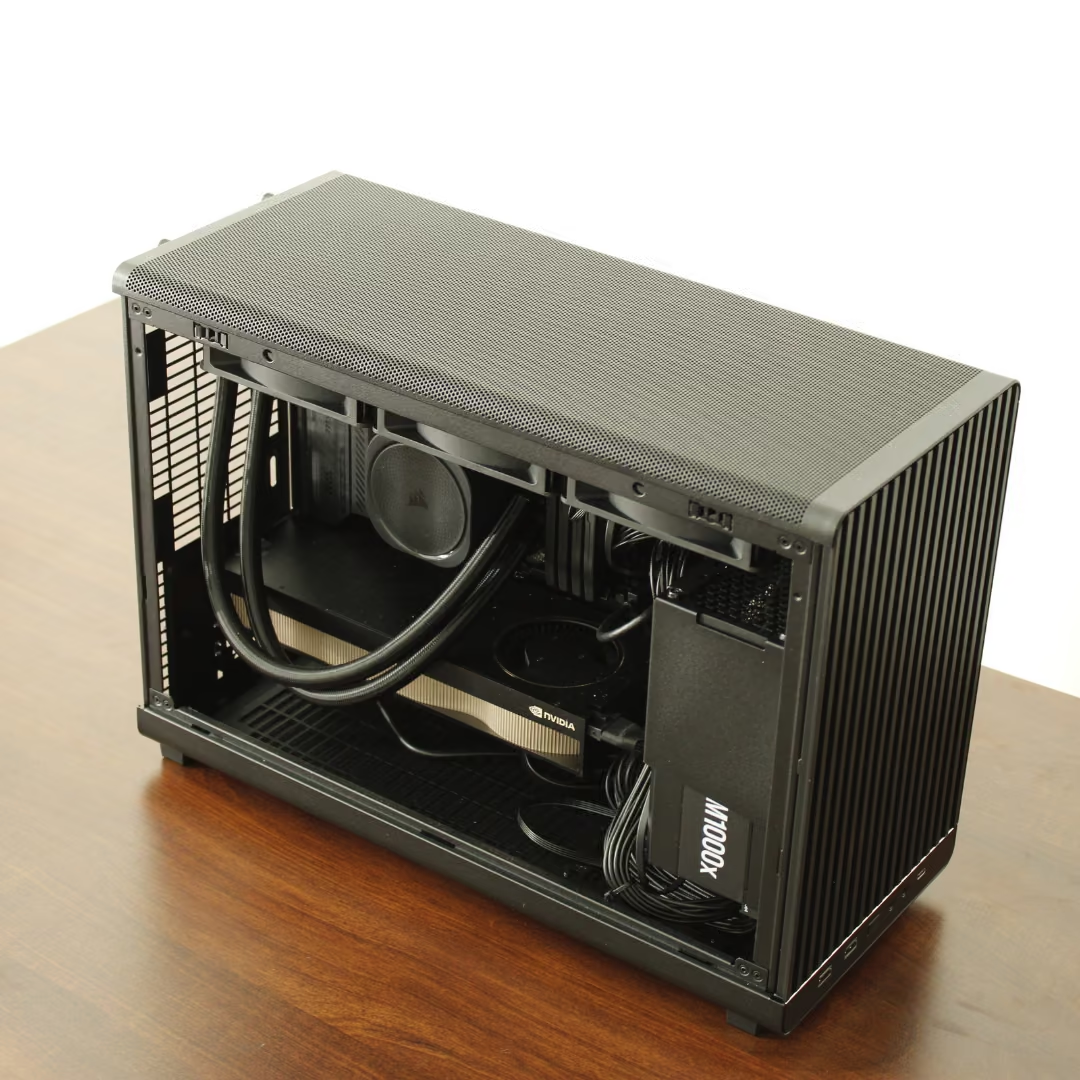
A local LLM is one where the model weights live on hardware you control and inference happens on that hardware. No prompt leaves the machine and there is no per-token bill. This is different from a private API endpoint (still someone else's servers) and different from a fine-tuned model on a hosted platform (still hosted).
Local can mean a laptop, a workstation, a rack-mounted GPU server in your office, or an air-gapped appliance in a secure facility. The architectural property, weights on your hardware, is what matters.
The five-step path for a developer
- 1. Pick an open-weight model: The Llama, Qwen, Mistral, Gemma, Phi, DeepSeek and Nemotron families all publish open weights, and the leading model in each changes often, so check a current leaderboard rather than a blog post. Pick a parameter count that fits your hardware (see below).
- 2. Pick a runtime: Ollama is the easiest entry point. llama.cpp underlies most local setups and runs well on CPU and Apple Silicon. vLLM is the production-grade choice on Nvidia GPUs. LM Studio gives a chat UI without the command line.
- 3. Pick a quantisation: Quantisation (Q4_K_M, Q5_K_M, Q8, FP16) trades a small amount of quality for a large amount of memory. Q4_K_M is the typical sweet spot for local use.
- 4. Serve it: Most runtimes expose an OpenAI-compatible HTTP API. Point your existing tooling at the local endpoint and most code paths just work.
- 5. Wire up retrieval: A local LLM with no access to your documents is a toy. Add a retrieval layer (LlamaIndex, LangChain, or a hand-rolled pgvector setup) so it can answer over your data.
Hardware: what you actually need
- 7B models: Run comfortably on an Apple Silicon MacBook with 16-32GB unified memory, or a single 12-16GB Nvidia GPU. Fine for one developer.
- 13B-14B models: Need a 24GB GPU (RTX 4090, A5000) or a 32-64GB Apple Silicon machine. Quality starts becoming useful for real work.
- 30B-32B models: Need 48GB+ of VRAM, typically a workstation with an RTX 6000 Ada or two consumer GPUs. The minimum for serious business use.
- 70B+ models: Need a multi-GPU server, an H100, or a dedicated appliance. Beyond a single workstation.
- Concurrency multiplies all of this: The numbers above are for a single user. Ten concurrent users need batched serving (vLLM, TensorRT-LLM) and significantly more VRAM, this is where DIY usually breaks.
Where the DIY approach breaks down
- Concurrency and uptime: One developer is easy. Twenty users hitting one chat endpoint with retrieval is a distributed-systems problem, not an Ollama problem.
- Identity, audit, retention: Enterprise procurement requires SSO, RBAC, prompt logging with configurable retention, and an audit trail. None of this comes in the box.
- Retrieval at organisational scale: A useful enterprise LLM has to retrieve over thousands or millions of documents with permissions. That is an ingest, embedding, and access-control pipeline, not a vector store with 100 PDFs in it.
- Domain accuracy: Open-weight base models are general. For domain accuracy you need post-training (not just RAG), and serious post-training is its own discipline (catastrophic forgetting, evaluation, regression suites).
- Ongoing model lifecycle: Models improve. Re-evaluating, re-quantising, and re-deploying every few months is a small ML platform team, not a side project.
When local is the right answer
Local LLMs are the right answer when the data must not leave the building, when you want a fixed cost rather than a per-token bill, when latency must be predictable, or when you need to operate offline or air-gapped. Those properties do not change between a laptop with Ollama and a Locai One in the corner of the office, what changes is how many users, how much data, and how serious the governance.
For a single developer experimenting, Ollama plus a 13B model and a small RAG layer is the right call and costs nothing. For a business that wants the same architectural properties at organisational scale, with identity, audit, retrieval over real document estates, and a model trained on your domain, you want an appliance rather than a side project.
From local LLM to Locai One
Locai One is the managed, owned version of "running an LLM locally". It bundles our open-weight Juno models with production serving, retrieval, identity, and an application layer in one on-prem appliance, and a model post-trained on your own data (using Forget-Me-Not) can be deployed on the same machine. The model still runs entirely inside your perimeter, your prompts still never leave, but you do not have to operate the stack. If you have prototyped with Ollama and are looking at scaling to a business, that is the natural next step.
Local LLM approaches compared
| Locai One (managed, owned) | Self-hosted (Ollama / vLLM) | Hosted API (ChatGPT, Claude) | |
|---|---|---|---|
| Data leaves perimeter | No | No | Yes |
| You own the model | Yes | Yes (open weights) | No |
| Trained on your domain | Optional (post-trained) | No (base only) | No |
| Production serving | Yes, in the box | DIY (vLLM, K8s, etc.) | Vendor handles |
| Identity, RBAC, audit | Yes, in the box | DIY | Vendor handles |
| Retrieval over your docs | Yes, in the box | DIY | Limited (Connectors) |
| Effort to run | Procure and deploy | Significant ML/infra team | Sign up |
| Cost | Fixed, owned asset | Hardware + team time | Per-token forever |
What this looks like with Locai
If the architecture above is the bar your enterprise has to clear, here is the shortest route to clearing it.
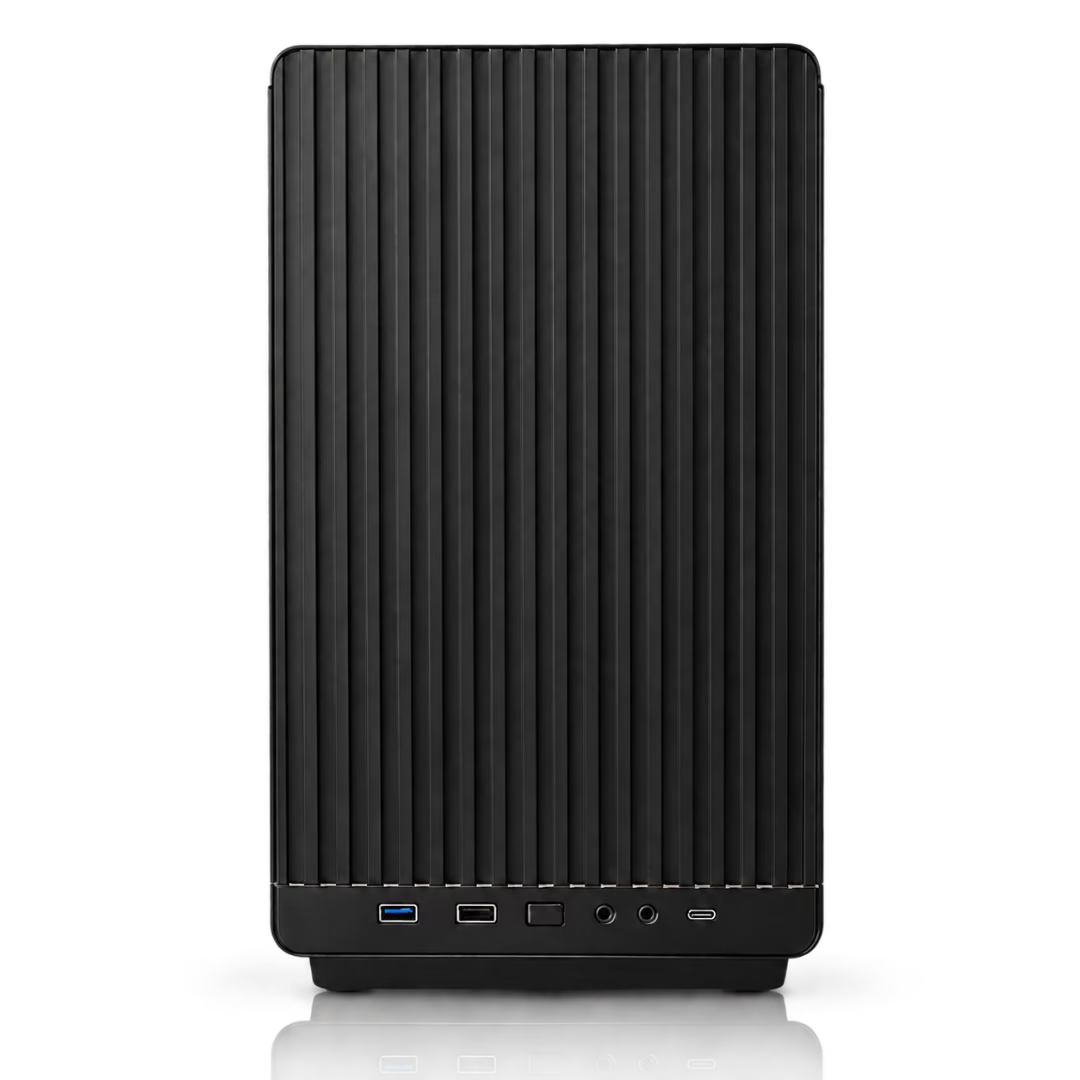
Locai Labs builds Locai One, an on-prem AI appliance. It is one machine that arrives with everything already in it: the hardware, our open-weight Locai Juno models, and Locai OS, the operating system that serves the models and handles users, access and monitoring. You plug it into a mains socket and your network, and your team is working in about 15 minutes. No cloud account, no per-token bill, and nothing leaving the building.
The reason a data-centre-class model fits in a box on your floor is SPACE, our compression algorithm. Instead of asking how much of a model can be cut while keeping it broadly similar, SPACE asks what the model needs to be good at, preserves the subnetworks behind those capabilities and strips back the rest. The result is a smaller specialist rather than a shrunken generalist, tuned to the exact hardware it ships on.
Locai One starts at £29,950 for a team, and Locai One Pro at £49,950 for an organisation, bought once and owned outright. Both run air-cooled on standard mains power and work fully air-gapped. Any compatible open-weight model runs alongside Juno, and if you need a model trained on your own proprietary data we can post-train one and deploy it on the same machine.
Frequently asked questions
How do I run an LLM locally?
Download open-weight model files, install a runtime like Ollama or llama.cpp, load the model, and call it via the OpenAI-compatible API the runtime exposes. For Apple Silicon Macs and recent Nvidia GPUs, this works out of the box.
What is the easiest way to run an LLM locally?
Ollama on macOS, Windows, or Linux. Install it, run 'ollama run' followed by a model name, and you have a working local LLM in minutes. LM Studio is a similarly easy GUI option.
What hardware do I need to run an LLM locally?
For a 7B-13B model, an Apple Silicon Mac with 16-32GB of memory or a single 16-24GB Nvidia GPU is enough. For 30B+ you want 48GB+ of VRAM. For 70B+ you want a multi-GPU server or a purpose-built appliance.
Are local LLMs as good as ChatGPT?
On general breadth, the biggest cloud models still lead. On your domain after post-training, an open-weight base can match or beat them, which is why owned, domain-trained models are how regulated enterprises close the gap.
Is running an LLM locally free?
Open-weight models are free to download and the runtimes are open source. You still pay for hardware, electricity, and (at business scale) the engineering time to operate the stack.
When should a business stop self-hosting?
When you need real concurrency, retrieval over your full document estate, SSO/RBAC and audit, domain accuracy via post-training, and a model lifecycle plan. At that point an appliance like Locai One delivers the same architectural properties without standing up a platform team.
Sources
- Ollama, Ollama
- llama.cpp, ggerganov / GitHub
- vLLM: Easy, fast, and cheap LLM serving, vLLM Project
- LM Studio, LM Studio
- Llama models, Meta
- Open-weight models on Hugging Face, Hugging Face
Book a sovereign AI briefing
A 30-minute session on owning your model: deployment options, the data path, and a clear cost range for your use case.